Supplies
📦Supplies
What you have, where it is, when it expires, and how long it lasts.
Recording
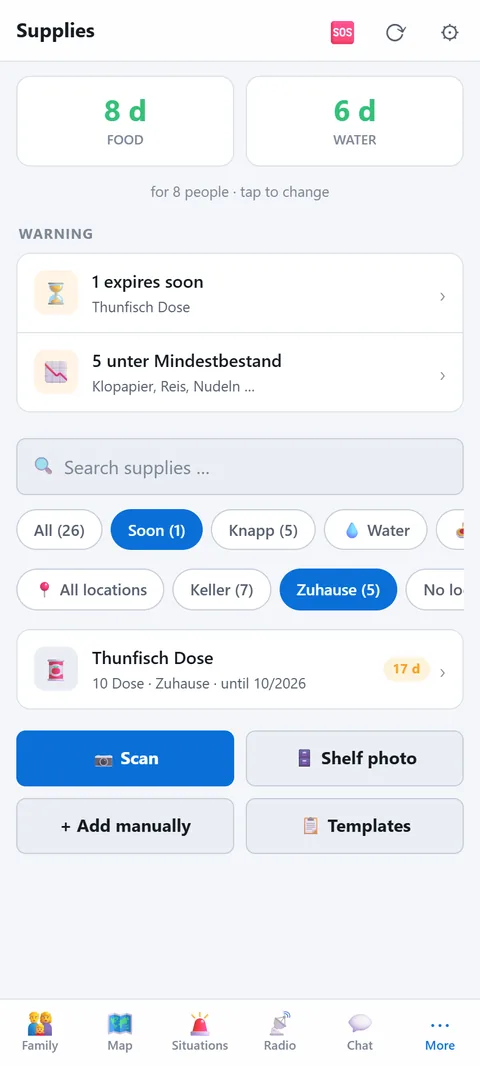
- Scan: barcode with the camera; the app fetches name, quantity and calories from a product database. If the item is already in your supplies, it asks: add to the same best-before date, or create a separate item with a different date.
- Best before: type it as printed on the pack (07/2046, 31.7.46 or just 0746), say it into the keyboard microphone ("July 2046"), pick it in the calendar or set +1, +2, +5, +10 years. Month and year are enough; the end of the month then applies.
- Shelf photo: take a photo of the shelf; the app reads the items and suggests entries.
- By hand: name, category (water, food, canned food, baby food, medical, hygiene, energy, fuel, tools), quantity and unit, expiry date, minimum stock, calories.
- Copy: create the same item at another location or with another expiry date without retyping.
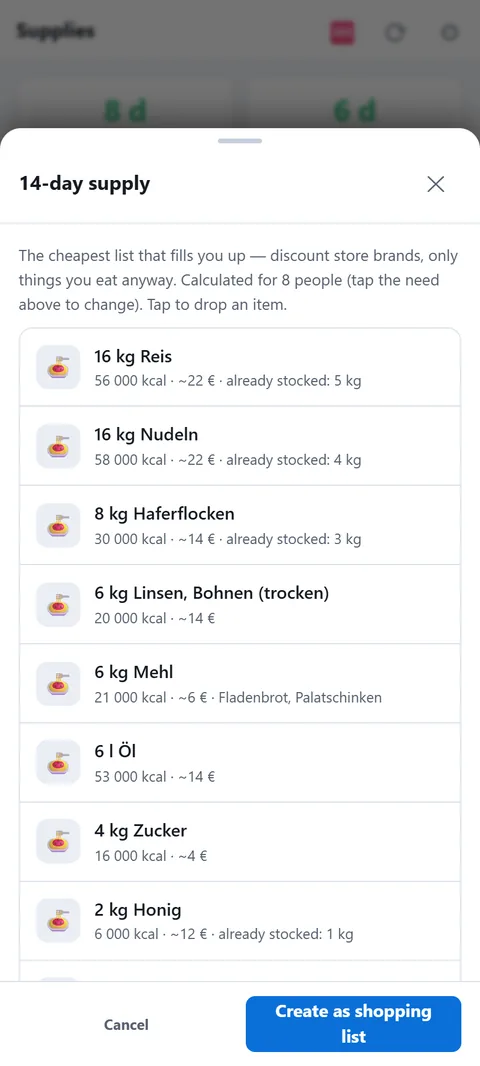
- 📋 Templates: "14-day supply" is the cheapest list that fills you up (discount store, ~€280 for 4 people); "Forget-it supply" is rice, oats, sugar, honey in Mylar bags, emergency rations and preserved water for 20 years. Both scale to your number of people. They are created as minimum stock: what you buy you enter as quantity, what's missing shows under "Low" — that's the shopping list. The 14-day list is also on the website to print.
Storage locations
Every item has a storage location (home, cellar, car, cabin). From the map, markers of the type Accommodation or Depot are suggested — meeting points are not. If GPS says you are at a known place, the app filters to that place automatically and new items go there.
At the top
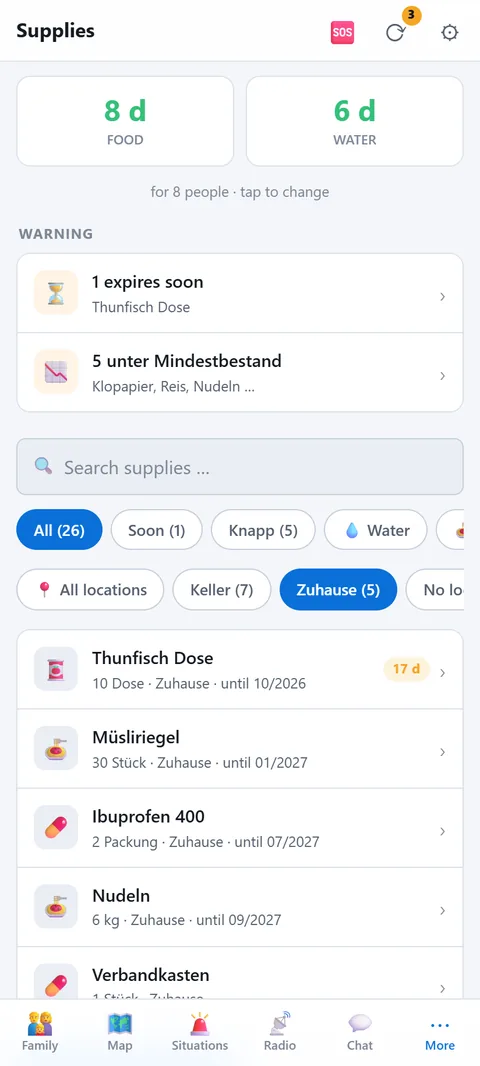
Two numbers: how many days of food and water you have for your people. Below, "Attention" with everything that expires within 30 days or drops below minimum stock.
How the days are calculated
Food: the app adds up the calories of all items (calories per unit × quantity) and divides by your household's daily need. If everyone is entered under People, their need by age applies: adults 2,200 kcal, teenagers 2,400, children 1,400, seniors 1,900, infants 700. Otherwise it uses a flat rate per person. Items without a calorie value don't count. Enter the kcal from the pack, or your supply looks smaller than it is.
Water: 2 litres per person per day for drinking and simple cooking. Only items in the Water category count. For bottles choose the unit piece and enter Contents per piece: 6 bottles of 1.5 l make 9 litres. If the size is already in the name ("Mineral water 1.5 l"), the app pre-fills the field. Without it, each bottle counts as 1 litre, and the endurance view says how many items that is. Anything far past its best-before date drops out of the calculation; how long things still count is explained under Endurance.
Fuel: For gas bottles, briquettes or bags of wood enter Weight per piece in kg; for loose wood simply use the unit kg. Then choose What for?: heating with wood, heating with gas, cooking or other. Only heating fuel counts towards heating days in the endurance view, and only if a matching stove stands at the same location (Building systems).
🕯️ Half rations
The "🍽️ Normal / 🕯️ Half rations" switch calculates food at half portions: 6 days become 12. It is not advice to go hungry, but the honest answer to how long things last in a pinch if everyone eats less. Water always stays at the full 2 litres, because you cannot save on drinking.
Calculating per location
Pick a location at the top and both numbers apply to that place only. That way you see separately how long you last at home, at the holiday house and with what is in the car. Without a filter everything counts together. Good for an overview, but in an emergency you are in one place, not all of them.
🍲 What shall I cook?
The "🍲 What shall I cook?" button at the top of Supplies suggests meals from what is at the chosen location: dal with rice, coconut lentil curry, chili with rice, a canned meal with bread, lentil soup, pasta with tuna, emergency ration porridge and more. The app recognises ingredients by the item names. At the top are the meals you have everything for, below those missing just one ingredient. Items expiring soon are used first. Every recipe shows calories, water and cooking time; the filters "No cooking" and "Little water" help when fuel or water is short. Quantities are for your number of people. "🍽️ Cooked" shows what will be deducted and, once confirmed, takes it off your supplies, earliest expiry first.
Keeping it current
- Check "Attention" once a month. Use up and replace what expires soon: what was bought first gets eaten first.
- After shopping, raise the quantity of the existing item instead of creating a new one. Different expiry date? Use "Copy".
- Rough and current beats exact and outdated. The odd gram does not matter.
- All devices in the household see the same supplies. Whoever shops enters it.