Routes
🧭Routes
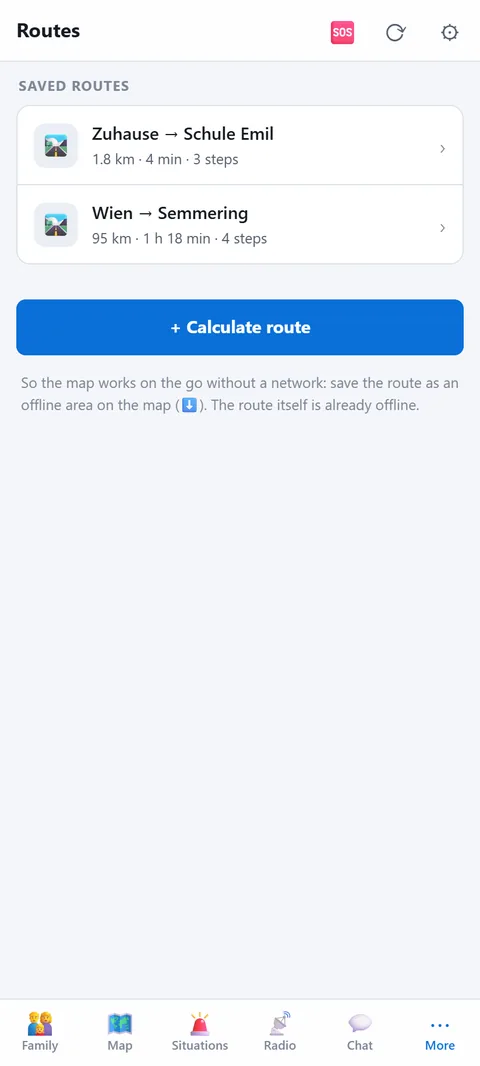
Ways to your retreat, school, work: calculate now with a network, follow without one in an emergency.
- Start and destination from your position, markers, alert places, group locations or locations shared by other households.
- Calculate via a road router (online). The route with turn-by-turn steps is stored and available offline afterwards.
- Follow: let the map guide you, current step on top. Works with the offline area even without a network.
- Share: give routes to a group; members take them into their own routes.
Which routes to prepare
Plan the evacuation route to your retreat, plus the way home from school or work and to the agreed meeting point. When calculating, the app suggests the fastest route and, where available, alternative routes, each with length and travel time. It is saved as "Start → Destination", alternatives carry the suffix "Ausweich 1". In an emergency choose a second route if the first is blocked.
How guidance works
- Steps: Every route contains turn instructions with the street name, the exit at roundabouts, and the distance from the start.
- On the map: Your position moves along the line. At the top you see the next step, the remaining distance, the remaining time and the GPS accuracy in metres. If you are more than 300 m from the route, the app says "Off the route" with the distance.
- Escape route offline: The route itself is stored on the device. To have the map without a network as well, also save the stretch there as an offline area.
- Household: Saved routes appear on all devices of the household.
Limits
Calculation goes through a public routing service (OSRM), so it needs a network, and start and destination are sent to that service as coordinates. The route is for a car; on foot or by bike it is only a guide. It is a snapshot from the day of calculation: it does not know current closures or traffic jams. Drive the most important route once as a trial. Routes are stored like the rest of the household data and, unlike documents, are not additionally encrypted.