Prepper › Handbook › Getting started
Getting started
🚀Getting started
From zero to an app that keeps watch for the whole family in five minutes.
- Install: iPhone: on the App Store. Android: APK from prepper.team, allow "unknown sources" once, the app announces new versions itself. On a computer or without installing: app.prepper.team in the browser, everything except radio.
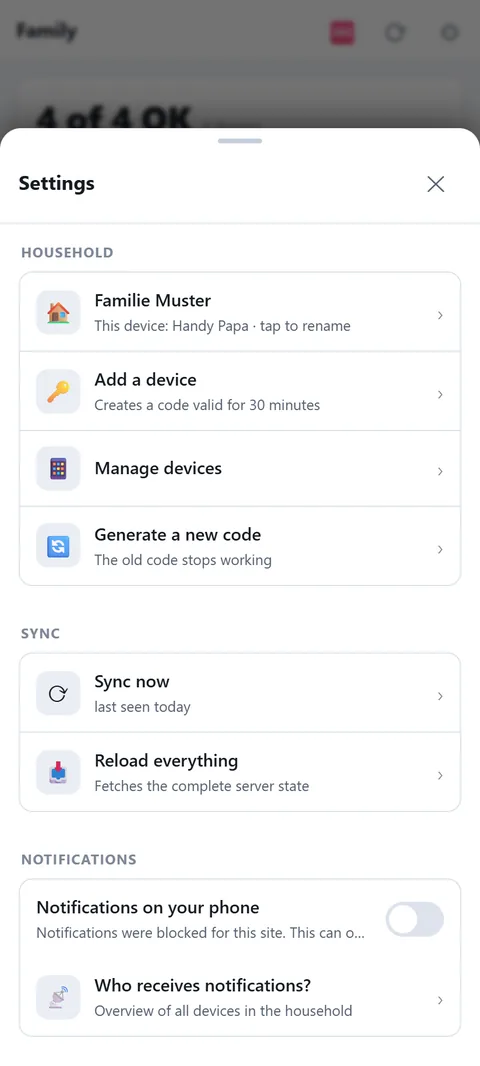
- Create a household: on first start choose "Create household" and give it a name. The first device is now signed in.
- More devices: Settings → "Join code" shows a code valid for 30 minutes. On the second phone choose "Join with code". Or share the join link.
- Allow push: the app asks for notifications. Without push, no alerts arrive while the app is closed.
- Set alert places: under Alerts → "+ Place" add the places you want alerts for (home, grandma, work).
- Add people and supplies: only then can the app calculate how long your supplies last.
Tip: a household is all devices sharing the same data (family). For neighbours and friends there are groups, see below.