Prepper › Handbook › Call for help
Call for help
🆘Call for help
The red SOS button at the top: one tap, and every device in the household gets an alarm with your location.
- What is sent: position, battery level, time, optionally a short text ("fell, need help").
- On the receiving end: loud alarm even on a muted phone, location on the map, call with one tap.
- All clear: "Mark as resolved" ends the alarm for everyone.
- Without a network: the call is buffered and goes out as soon as a network is available. For real emergencies, 112 remains the first call.
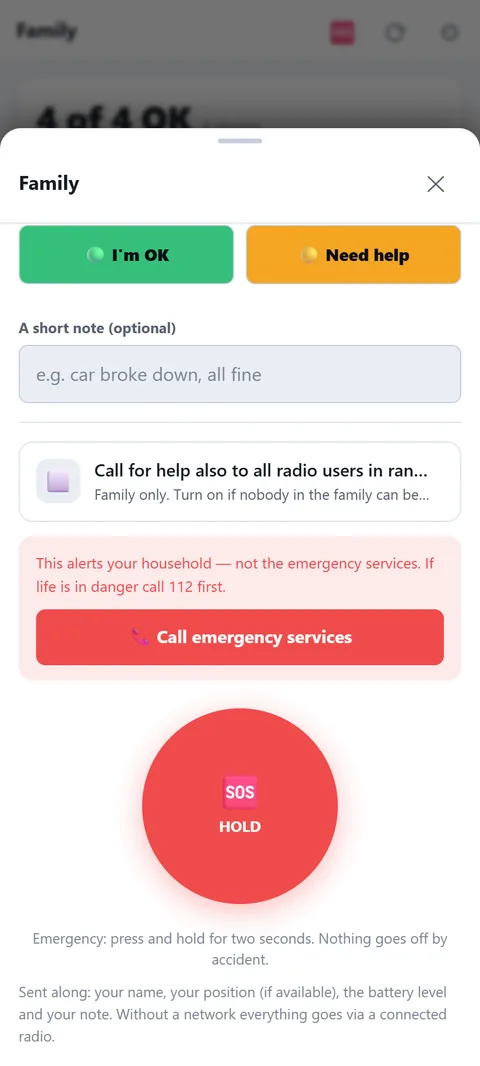
- To all radio users: the switch "Call for help also to all radio users in range" (off by default) additionally sends the 🆘 with position to the public Meshtastic channel — for the case that the family doesn't answer. Everyone can read it there.
SOS, status and alerting the family
The emergency button is only one of three levels. In the "Family" sheet you report with one tap as "I'm fine" (green, silent, no push) or "Need help" (yellow, push message to every device in the household). The red SOS only fires once you hold the button for two seconds, so nobody raises the alarm by accident. A short text (up to 200 characters) is optional.
Who learns what, and by which route
- Internet: With a network the message goes by push to the other devices. The app then tells you honestly how many devices it reached. If nobody has notifications on, the message is at least in the chat.
- Radio: If a Meshtastic radio is connected, the same short version (name, text, position, battery level) also goes out over radio. That keeps the overview complete without a network.
- Position: The app waits at most twelve seconds for a location. Without a position the call still goes out.
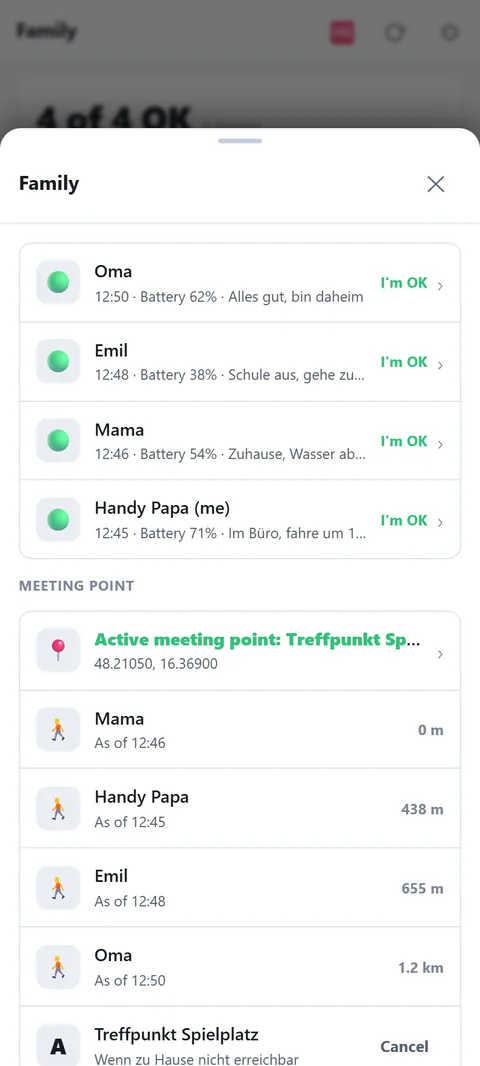
- Overview: Each person shows their latest state. Older than 24 hours it counts as "outdated", devices without a report appear as "No response". At the top a red strip shows an open call for help (up to 12 hours), a yellow one another person's request for help.
Preparing and limits
Switch notifications on on every device and try the green status once. Set meeting points on the map, ideally three: in front of the house, in the village, outside it. An activated meeting point goes to everyone, with each person's distance. Important: the call for help alerts only your household, not the emergency services. If life is in danger, dial 112 or 144 first; the button for that sits in the app right above the red SOS. Once you are safe again, end your own call with "Give all clear" and your status turns green.